
Formal
Together with their families
Maya & Noah
request the honor of your presence
Saturday, October 16 · 6 PM
The Grand Gallery
Ivory, black and gold with flowing satin — a formal, magazine-cover invitation for an evening black tie wedding.
Make yours in the Inviti app for iPhone.
 On a computer? Scan with your iPhone camera to get the app.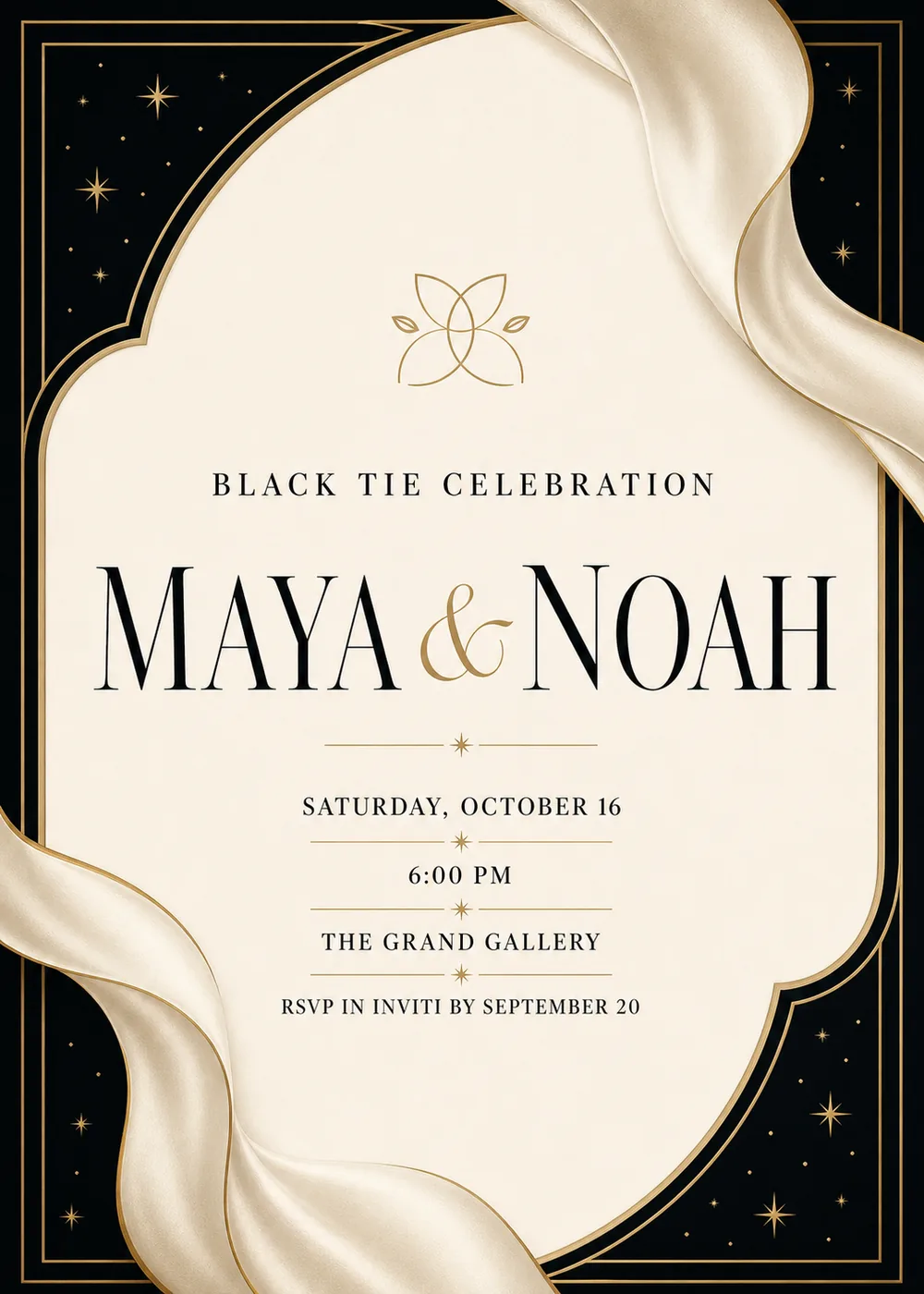
A warm ivory panel with softly scalloped edges sits in the middle of a black card, its corners speckled with tiny gold stars. Flowing champagne satin folds wrap around two corners, and a fine double gold hairline frames the whole design.
A small abstract gold four-petal emblem sits above the names. The style is formal and editorial, with metallic linework and soft satin shading, and nothing cute or busy.
The couple's names are set in large high-contrast black serif capitals with a gold calligraphic ampersand, under a small “Black Tie Celebration” line. The details are centered below in small spaced capitals.
Together with their families
Maya & Noah
request the honor of your presence
Saturday, October 16 · 6 PM
The Grand Gallery
Black tie celebration
Maya & Noah
Saturday, October 16 · 6 PM
Dinner and dancing to follow
Maya & Noah are getting married
Saturday, October 16
The Grand Gallery
Every piece below was made in this design with Inviti. Matching pieces are a Pro feature, and each one you request is a separate generation, so yours will follow this direction without being pixel-identical.


It will follow this design's direction: an ivory scalloped panel with satin folds and a gold frame on black. Because Inviti generates each invitation with AI from your details, the arrangement and lettering can differ from this sample.
Yes. Add “Black tie” or “Black tie optional” to the details; the formal look suits it.
Yes. The invitation is designed at 5×7 inches, and the app's print preparation can lay out copies on A4 or US Letter with crop marks. For the sharpest print, generate at full resolution rather than the introductory 1K size.
With Pro you can request matching pieces such as a dinner menu, a welcome sign, thank-you cards, a cards and gifts sign, a time capsule sign and favor labels. Each piece is a separate generation; the full sample set is shown below.
No. Inviti creates the artwork files. Printing and any physical stationery are up to you.

New subscribers start with an introductory week or month that includes five designs; plans and one-time packs show Apple-localized prices in the app.