
City wedding
An intimate city wedding
Ava & Leo
Friday, April 8 · 2 PM
The Civic Atrium
A columned city hall, a street map and a little red heart — a modern, graphic invitation for an intimate courthouse wedding.
Make yours in the Inviti app for iPhone.
 On a computer? Scan with your iPhone camera to get the app.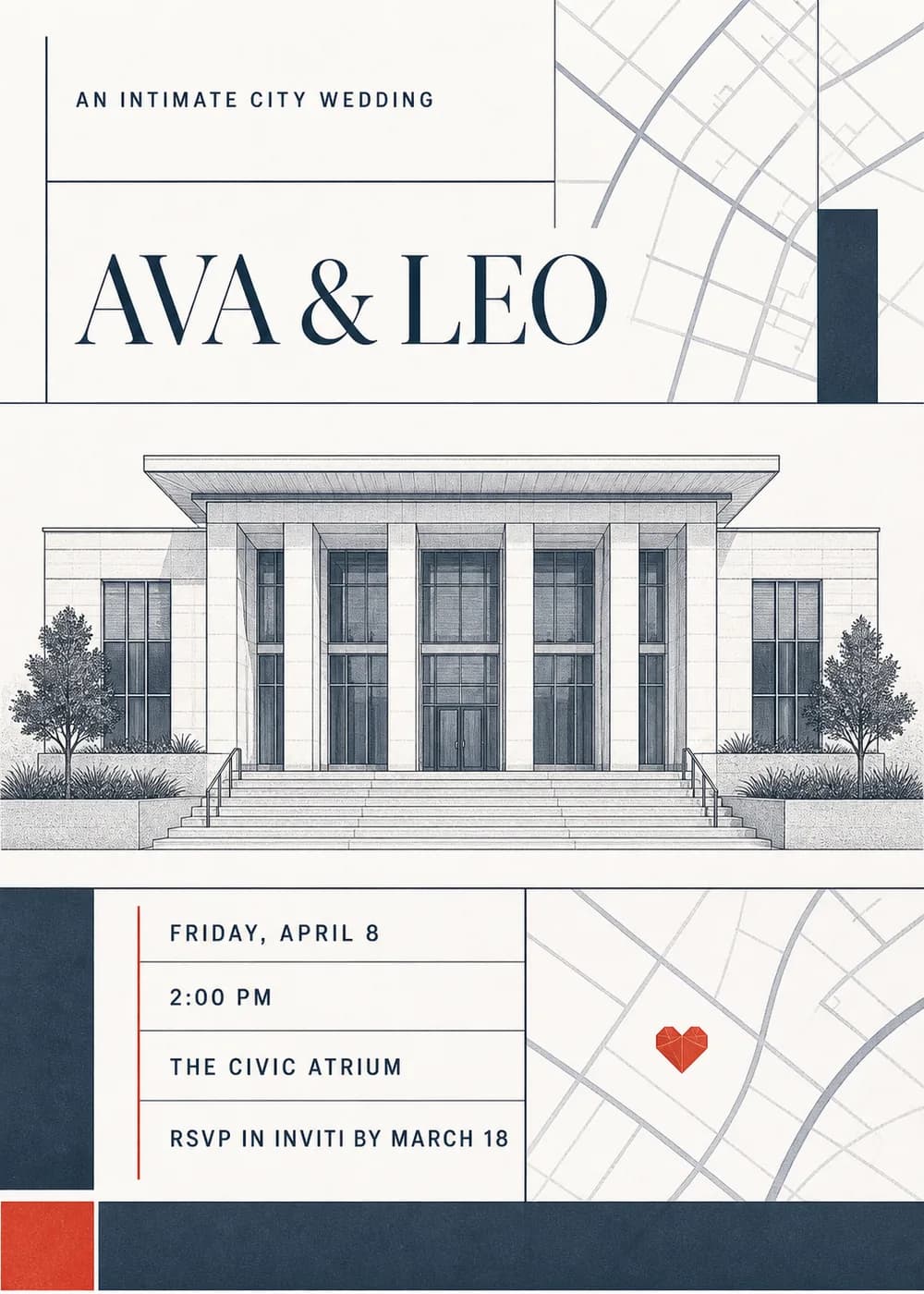
A detailed pen-and-ink drawing of a columned civic building, with wide entry steps, tall glass doors and trees on either side, runs across the middle of the card. Around it, a crisp grid of thin rules divides the page, with pale street-map lines in the corners and solid navy blocks for balance.
A small red geometric heart sits on the map, like a pin marking the spot, and a red square adds one more accent. The look is architectural and editorial, clean and confident rather than romantic-floral.
The couple's names are set in oversized navy serif capitals under a small “An intimate city wedding” line, and the details sit in a boxed panel below.
An intimate city wedding
Ava & Leo
Friday, April 8 · 2 PM
The Civic Atrium
We're making it official
Ava & Leo
Friday, April 8 · 2 PM
Lunch to follow
Just married
Ava & Leo
April 8 · City Hall
Every piece below was made in this design with Inviti. Matching pieces are a Pro feature, and each one you request is a separate generation, so yours will follow this direction without being pixel-identical.


It will follow this design's direction: a pen-and-ink civic building, map lines and navy and red accents in a grid. Because Inviti generates each invitation with AI from your details, the arrangement and lettering can differ from this sample.
No. The building is a generic columned civic building, not a specific landmark, so it works for any city.
Yes. Change the wording to “Just married” or “We eloped” and share it after the ceremony.
With Pro you can request matching pieces such as a dinner menu, a welcome sign, thank-you cards, a cards and gifts sign, a time capsule sign and favor labels. Each piece is a separate generation; the full sample set is shown below.
No. Inviti creates the artwork files. Printing and any physical stationery are up to you.

New subscribers start with an introductory week or month that includes five designs; plans and one-time packs show Apple-localized prices in the app.