
From the families
With joy, their families invite you
Jia & Michael
Saturday, May 22 · 5:30 PM
The Golden Lotus Ballroom
Painted peonies and two swallows inside a red lattice traced in gold — a warm red invitation for a Chinese wedding hosted by both families.
Make yours in the Inviti AI app for iPhone.

Point your iPhone camera at the code, then tap the link to open Inviti AI in the App Store.
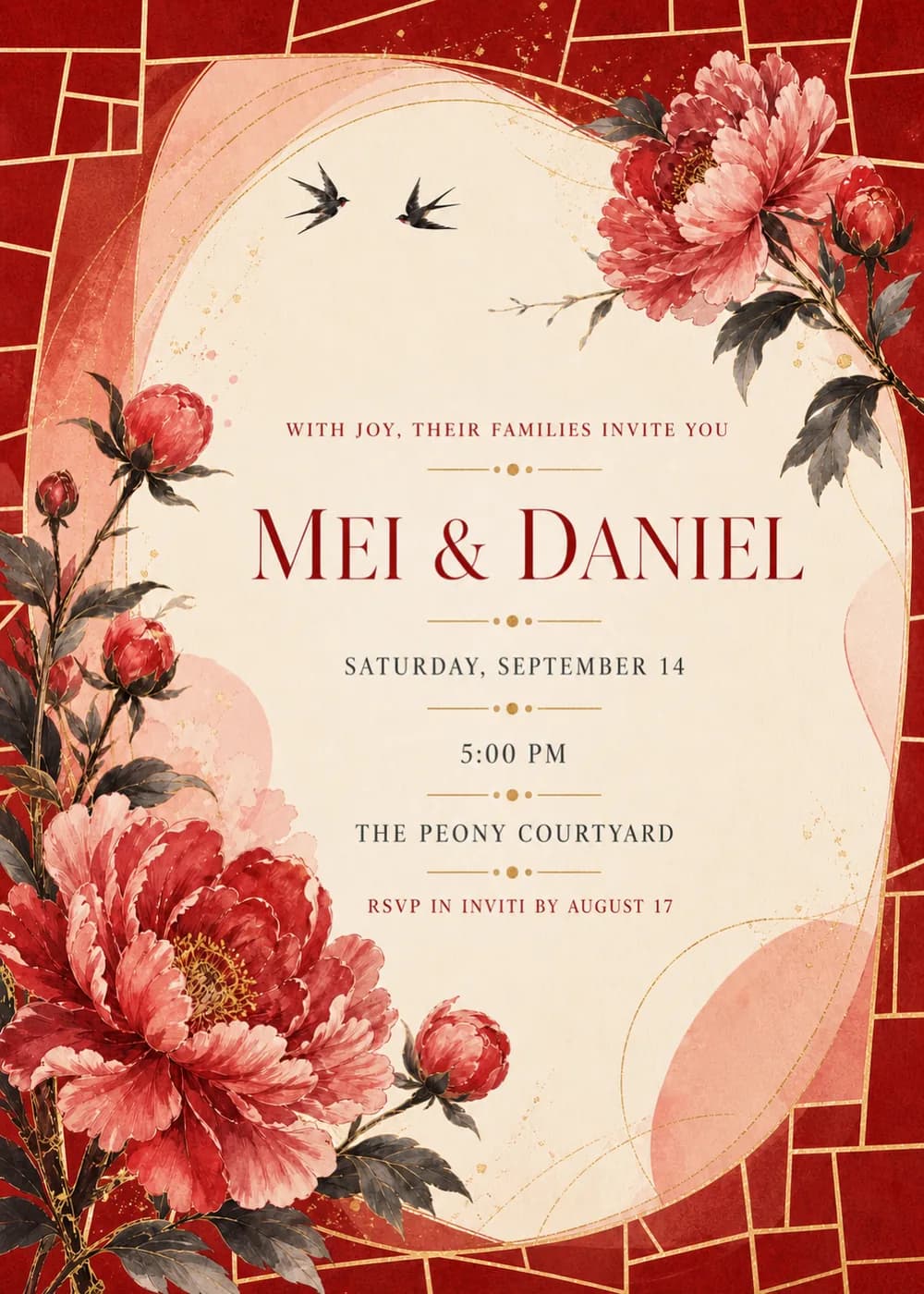
A deep red border, divided by fine gold lines into irregular panes like a lattice window, surrounds a tall, softly rounded ivory panel that holds the wording. A spray of peonies leans in from the upper right with one full bloom, a closed bud and dark leaves, and a thin budding twig reaches toward two swallows flying side by side near the top. At the lower left, a larger peony opens wide while more buds rise on slender stems along the left edge.
It is painted in ink and gouache: the petals shade from cinnabar red to soft pink around gold stamens, the leaves are a smoky charcoal, and the ivory has the grain of textured paper. Blush-pink washes bleed in from the edges of the panel, fine gold arcs sweep around it and gold specks are scattered here and there, so the card looks festive and rich while red, gold and ivory carry the whole palette.
The names, “Mei & Daniel” on the sample, are the largest text, in a refined deep-red serif with a taller capital opening each name. Above them, “With joy, their families invite you” runs in small, spaced red capitals. Below, the date, the time and “The Peony Courtyard” are set in charcoal serif capitals, each line separated by a short gold rule with a dotted center, and the RSVP line closes in small red capitals.
With joy, their families invite you
Jia & Michael
Saturday, May 22 · 5:30 PM
The Golden Lotus Ballroom
The Chen and Walker families
joyfully invite you to celebrate
Jia & Michael
Tea ceremony · 11 AM
Wedding banquet · 6 PM
Saturday, May 22
Please join us for a wedding banquet
in honor of Jia & Michael
Saturday, May 22 · 6:30 PM
Golden Lotus Ballroom
Every piece below was made in this design with Inviti. Matching pieces are a Pro feature, and each one you request is a separate generation, so yours will follow this direction without being pixel-identical.


It will follow this design's direction: red and pink peonies and a pair of swallows on a softly rounded ivory panel, framed by a red lattice traced in gold. Because Inviti generates each invitation with AI from your details, the arrangement and lettering can differ from this sample.
No. Every line on the sample is in English, and the design has no Chinese characters anywhere, including no double happiness symbol. The peonies, the swallows and the red-and-gold lattice give it its look.
Yes. The 5:00 PM start and “The Peony Courtyard” are only the sample's details. Enter a tea ceremony, a banquet or both, each with its own time and place, when you personalize it, and proofread the generated text before you share it.
Yes. The invitation is designed at 5×7 inches, and the app's print preparation can lay out copies on A4 or US Letter with crop marks. For the sharpest print, generate at full resolution rather than the introductory 1K size.
With Pro you can request matching pieces such as a celebration menu, a welcome sign, a “Let's celebrate” sign with both names, a sign with your names, date and time, a cards and gifts sign, a wishes sign where guests write a note for the years ahead, food labels, water bottle labels, chocolate bar labels, a cake topper with both names, initial cupcake toppers, letter banner flags with a photo opening, thank-you cards and “Thank you for celebrating” tags. Each piece is a separate generation; the full sample set is shown below.

New subscribers start with an introductory week or month that includes five designs; plans and one-time packs show Apple-localized prices in the app.