
Families
With joy, their families invite you
Meera & Rohan
Saturday, December 12 · 4 PM
The Lotus Pavilion
A crimson-and-teal mandap hung with marigold garlands, framed in gold — a jewel-toned invitation for a wedding under the mandap.
Make yours in the Inviti AI app for iPhone.

Point your iPhone camera at the code, then tap the link to open Inviti AI in the App Store.
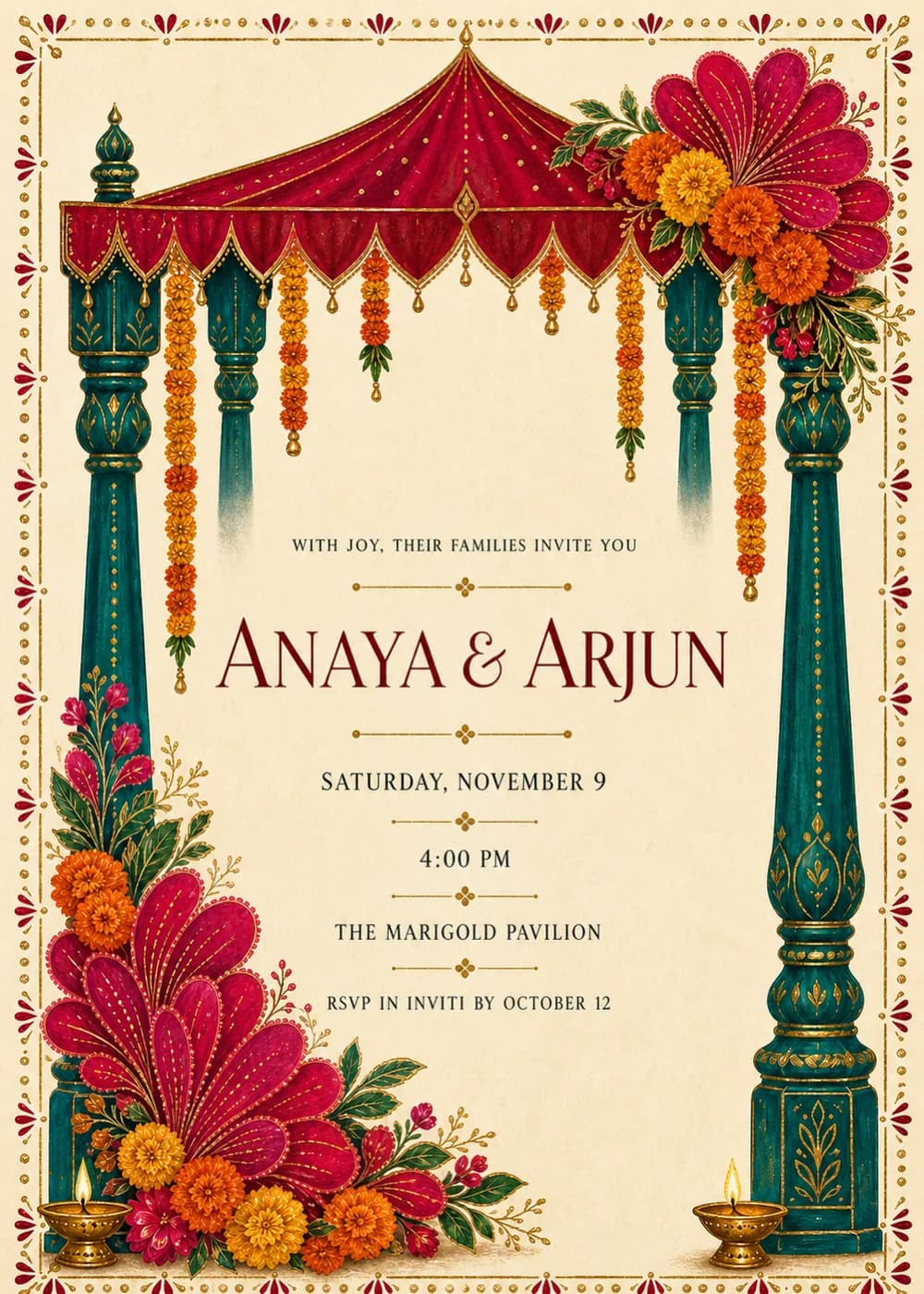
A mandap canopy in crimson and teal spans the top of the card, hung with saffron marigold garlands. Ornate, carved teal pillars stand on either side, so the wedding details sit in the open space between them, as if under the mandap itself.
Jewel-magenta flowers and tiny diyas add color around the structure, and a gold ornamental border runs around the whole card. It is drawn as an ornate, jewel-toned Indian wedding illustration on warm ivory: rich and celebratory, with every element held in one coordinated palette.
The couple's names are the largest text on the card, in a refined deep-red serif. The families' invitation line, the date, time, venue and RSVP line are kept small, letterspaced and dark, so the detailed artwork and the text never compete.
With joy, their families invite you
Meera & Rohan
Saturday, December 12 · 4 PM
The Lotus Pavilion
Together with their families
Meera & Rohan
Wedding ceremony · 10 AM
Reception · 7 PM
Saturday, December 12
Meera weds Rohan
Saturday, December 12
The Lotus Pavilion
Every piece below was made in this design with Inviti. Matching pieces are a Pro feature, and each one you request is a separate generation, so yours will follow this direction without being pixel-identical.


It will follow this design's direction: a crimson-and-teal mandap canopy with marigold garlands, carved teal pillars, magenta flowers and diyas inside a gold border. Because Inviti generates each invitation with AI from your details, the arrangement and lettering can differ from this sample.
No. Every line on the sample is in English; the mandap, marigold garlands and diyas set the tone.
Yes. Add each event with its time and place when you personalize it, then check the generated text carefully before sharing.
Yes. The invitation is designed at 5×7 inches, and the app's print preparation can lay out copies on A4 or US Letter with crop marks. For the sharpest print, generate at full resolution rather than the introductory 1K size.
With Pro you can request matching pieces such as a celebration menu, a welcome sign, thank-you cards, a cards and gifts sign, a wishes sign for the years ahead and a cake topper with your names. Each piece is a separate generation; the full sample set is shown below.

New subscribers start with an introductory week or month that includes five designs; plans and one-time packs show Apple-localized prices in the app.