
At the estate
A celebration at the estate
Amelia & Henry
Saturday, June 11 · 5:30 PM
The Greenhouse Lawn
A botanical crest, open iron gates and a garden path — a classic engraved invitation to a wedding at the estate.
Make yours in the Inviti AI app for iPhone.

Point your iPhone camera at the code, then tap the link to open Inviti AI in the App Store.
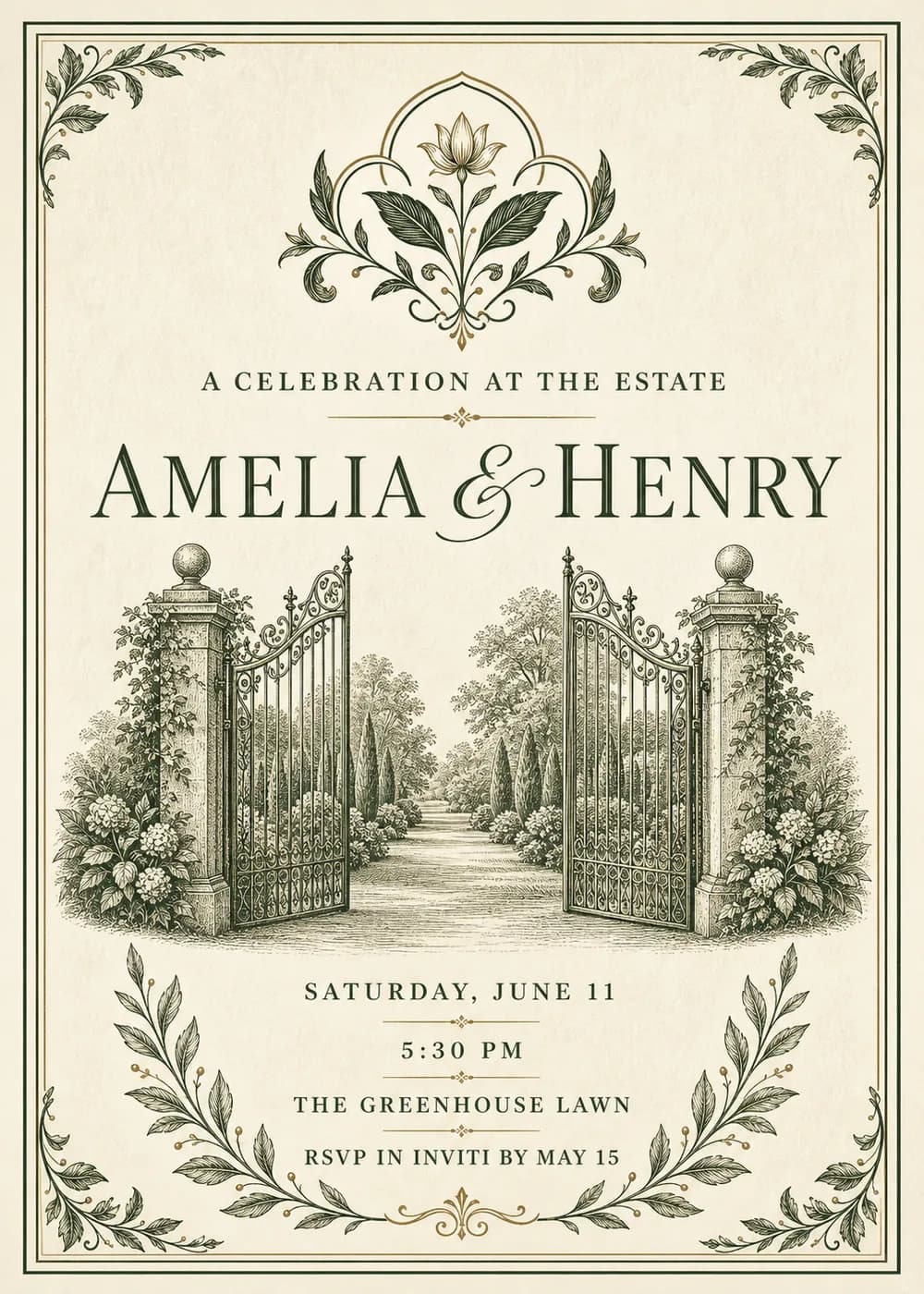
A pair of wrought-iron gates stands open between stone gateposts topped with round finials, with a garden path running back between clipped trees, climbing vines and hydrangeas. Everything is drawn in fine green-grey engraving lines, like an old book plate.
A leafy botanical crest crowns the top of the card and small leaf ornaments sit in the corners, all inside a double ruled border on cream paper. “A celebration at the estate” sits above the couple's names in dark serif capitals with a script ampersand.
A celebration at the estate
Amelia & Henry
Saturday, June 11 · 5:30 PM
The Greenhouse Lawn
Together with their families
Amelia & Henry
request the pleasure of your company
Saturday, June 11
Amelia & Henry
June 11 · The Greenhouse Lawn
Every piece below was made in this design with Inviti. Matching pieces are a Pro feature, and each one you request is a separate generation, so yours will follow this direction without being pixel-identical.


It will follow this design's direction: fine-line engraved gates, a botanical crest and a double ruled border. Because Inviti generates each invitation with AI from your details, the arrangement and lettering can differ from this sample.
No. The gates and garden are a decorative illustration, not a specific estate.
Yes. The invitation is designed at 5×7 inches, and the app's print preparation can lay out copies on A4 or US Letter with crop marks. For the sharpest print, generate at full resolution rather than the introductory 1K size.
With Pro you can request matching pieces such as a dinner menu, a welcome sign, thank-you cards, a cards and gifts sign, a wishes sign and cake toppers. Each piece is a separate generation; the full sample set is shown below.
No. Inviti creates the artwork files. Printing and any physical supplies are up to you.

New subscribers start with an introductory week or month that includes five designs; plans and one-time packs show Apple-localized prices in the app.