
Royal
A royal celebration
Nora turns 6
Sunday, September 20 · 2:30–5 PM
The Orchard Pavilion
A fairytale palace, swans on the pond and roses everywhere — a royal celebration fit for a birthday princess or prince.
Make yours in the Inviti app for iPhone.
 On a computer? Scan with your iPhone camera to get the app.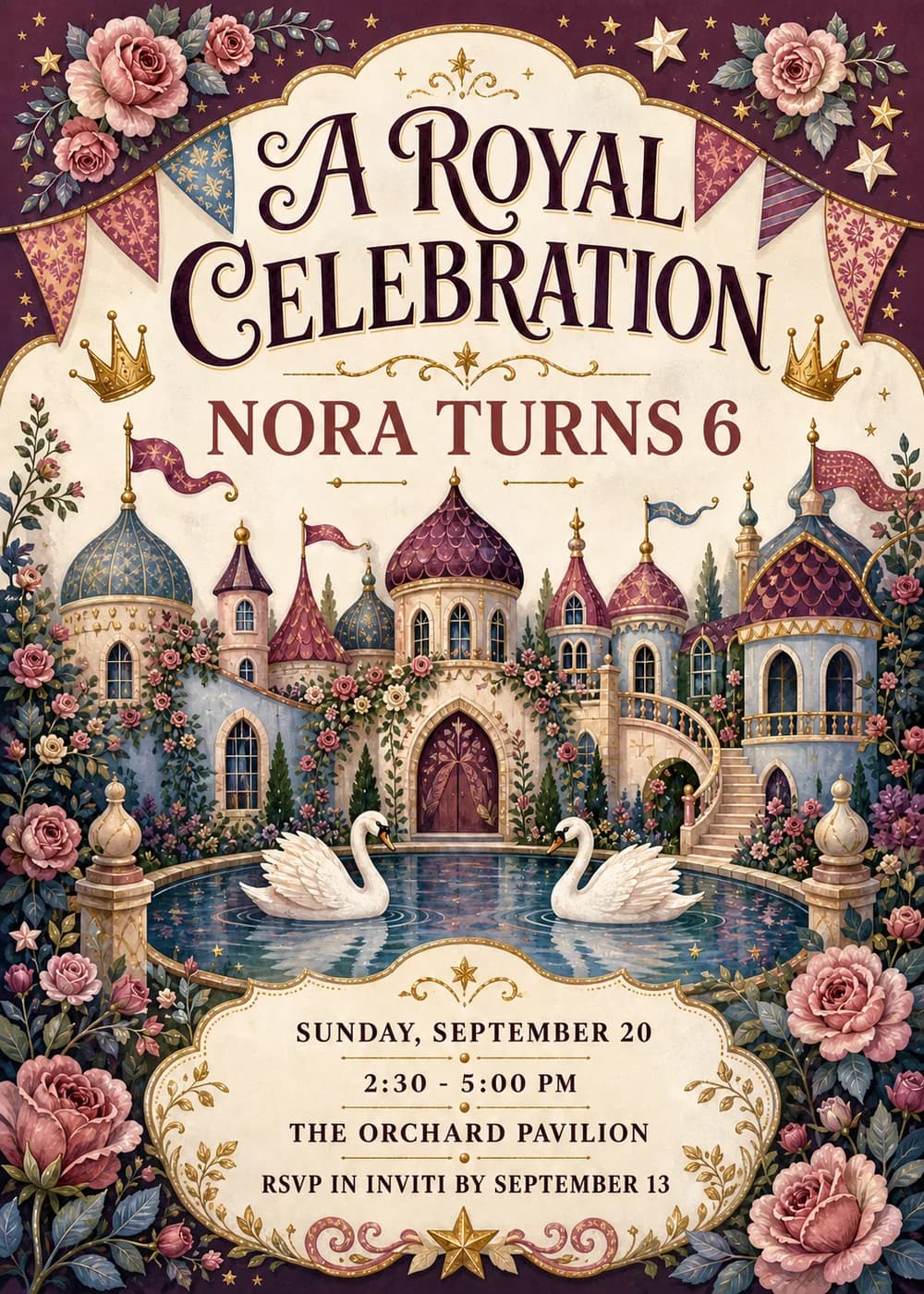
A many-turreted storybook palace fills the middle of the card, its blue and plum domes topped with little pennants, with an arched red door and a sweeping staircase. In front, two white swans glide on a sparkling pond, and pink roses climb around the whole scene.
The frame is deep burgundy dotted with gold stars, paper bunting and small crowns, with gold filigree around a cream scalloped panel. It is painted in detailed storybook watercolor with a paper texture and gilded ornament, so it feels rich and special.
“A Royal Celebration” is set in a large, ornate dark-plum serif on the cream panel, with the child's name and age in rose red. The date, time, place and RSVP sit on a small cream plaque at the bottom.
A royal celebration
Nora turns 6
Sunday, September 20 · 2:30–5 PM
The Orchard Pavilion
Hear ye, hear ye!
You are summoned to Princess Nora's 6th birthday
Sunday, September 20 · 2:30 PM
Crowns and capes encouraged
Nora's 6th birthday
Sunday, September 20 · 2:30–5 PM
The Orchard Pavilion
Every piece below was made in this design with Inviti. Matching pieces are a Pro feature, and each one you request is a separate generation, so yours will follow this direction without being pixel-identical.


It will follow this design's direction: a storybook palace, swans, roses, crowns and gold on burgundy. Because Inviti generates each invitation with AI from your details, the arrangement and lettering can differ from this sample.
Yes. The palace, crowns and swans aren't tied to princesses; just set the name and headline you want.
Yes. The invitation is designed at 5×7 inches, and the app's print preparation can lay out copies on A4 or US Letter with crop marks. For the sharpest print, generate at full resolution rather than the introductory 1K size.
With Pro you can request matching pieces such as round cupcake toppers, a cake topper, a welcome sign, a royal menu, food labels, bottle labels and thank-you tags. Each piece is a separate generation; the full sample set is shown below.
No. Inviti creates the artwork files. Printing and any physical party supplies are up to you.

New subscribers start with an introductory week or month that includes five designs; plans and one-time packs show Apple-localized prices in the app.