
Beneath the blossoms
Beneath the blossoms
Emi & Daniel
Saturday, April 9 · 3:30 PM
The Spring Garden
Pink blossom branches, drifting petals and a misty blue bridge — a soft watercolor invitation for a wedding in spring.
Make yours in the Inviti AI app for iPhone.

Point your iPhone camera at the code, then tap the link to open Inviti AI in the App Store.
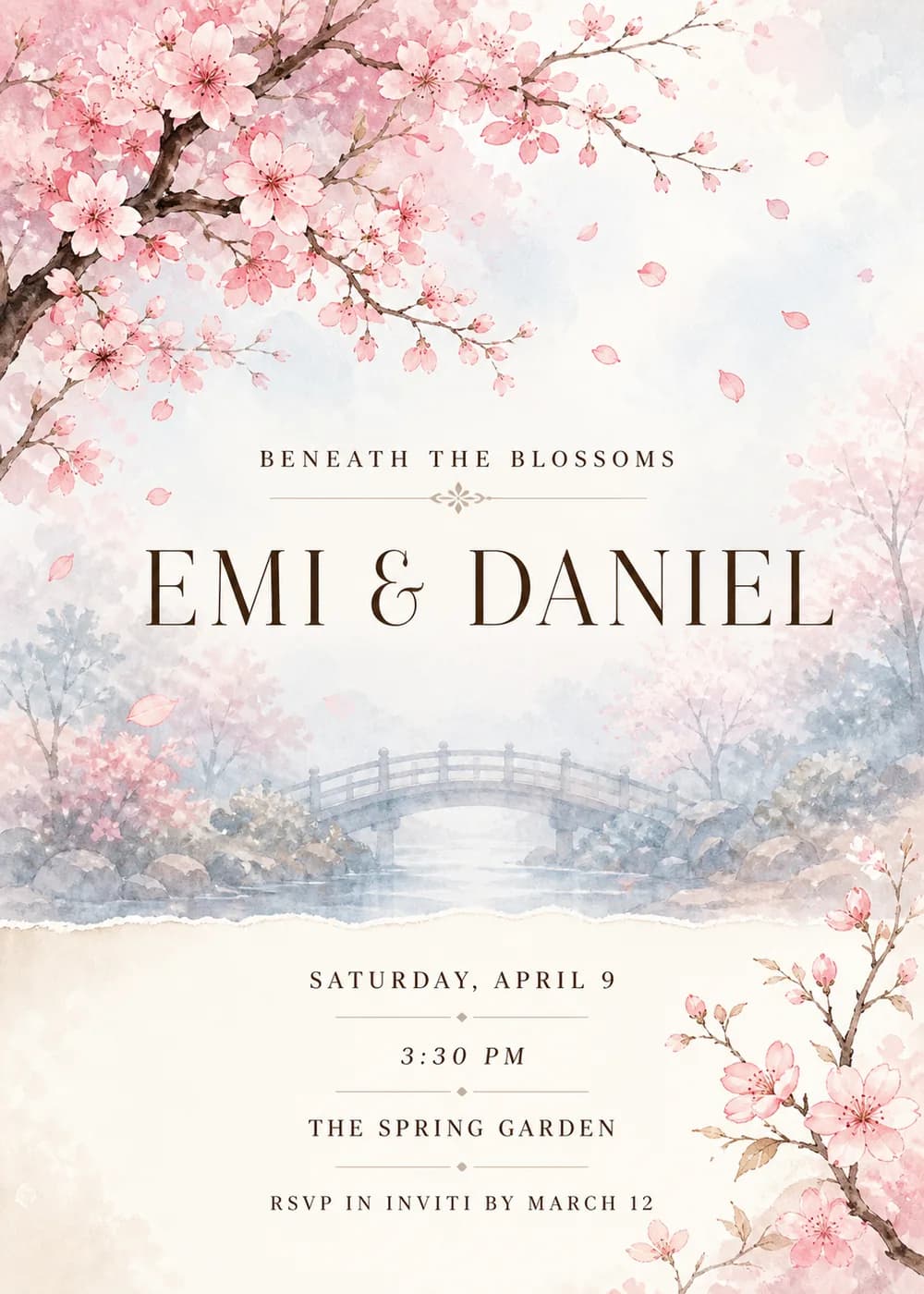
Branches of pink cherry blossom frame the card in delicate, airy watercolor, with loose petals drifting across it. Behind them, an arched bridge and misty trees fade into a soft blue haze, so the scene feels hushed and romantic.
The lettering is centered and refined: an elegant, wide-set dark-brown serif with crisp thick-and-thin strokes, paired with small, letterspaced capitals for the supporting lines. Fine taupe ornament rules add a quiet finishing touch, and the lower part of the card is an ivory paper panel with a torn edge.
Blossom pink, pale blush and ivory lead the palette, with the misty blue of the bridge underneath. It is gentle and romantic rather than bold, made for a wedding in blossom season.
Beneath the blossoms
Emi & Daniel
Saturday, April 9 · 3:30 PM
The Spring Garden
In the season of new beginnings
Emi & Daniel
invite you to celebrate their wedding
Saturday, April 9
Join us under the trees
for the wedding reception of
Emi & Daniel
Saturday, April 9 · 6 PM
Supper, cake and dancing
Every piece below was made in this design with Inviti. Matching pieces are a Pro feature, and each one you request is a separate generation, so yours will follow this direction without being pixel-identical.


It will follow this design's direction: watercolor cherry-blossom branches and drifting petals around a misty blue arched bridge, with a torn ivory paper panel. Because Inviti generates each invitation with AI from your details, the arrangement and lettering can differ from this sample.
No. The arched bridge and misty trees are part of a decorative watercolor scene, not a specific garden or venue.
The blossoms point to spring, but the soft pink-and-ivory palette also suits any romantic garden wedding. Replace “Beneath the blossoms” with a line that fits your season.
Yes. The invitation is designed at 5×7 inches, and the app's print preparation can lay out copies on A4 or US Letter with crop marks. For the sharpest print, generate at full resolution rather than the introductory 1K size.
With Pro you can request matching pieces such as a spring menu, a welcome sign, thank-you cards, a cards and gifts sign and a wishes sign for the years ahead. Each piece is a separate generation; the full sample set is shown below.

New subscribers start with an introductory week or month that includes five designs; plans and one-time packs show Apple-localized prices in the app.