
Strike up the fun
Strike up the fun
Maya turns 11
Friday, March 13 · 6–8:30 PM
Riverside Lanes
White pins, a glowing purple ball and lanes lit in cyan, violet and lime — a neon invitation for a birthday that ends in a strike.
Make yours in the Inviti AI app for iPhone.

Point your iPhone camera at the code, then tap the link to open Inviti AI in the App Store.
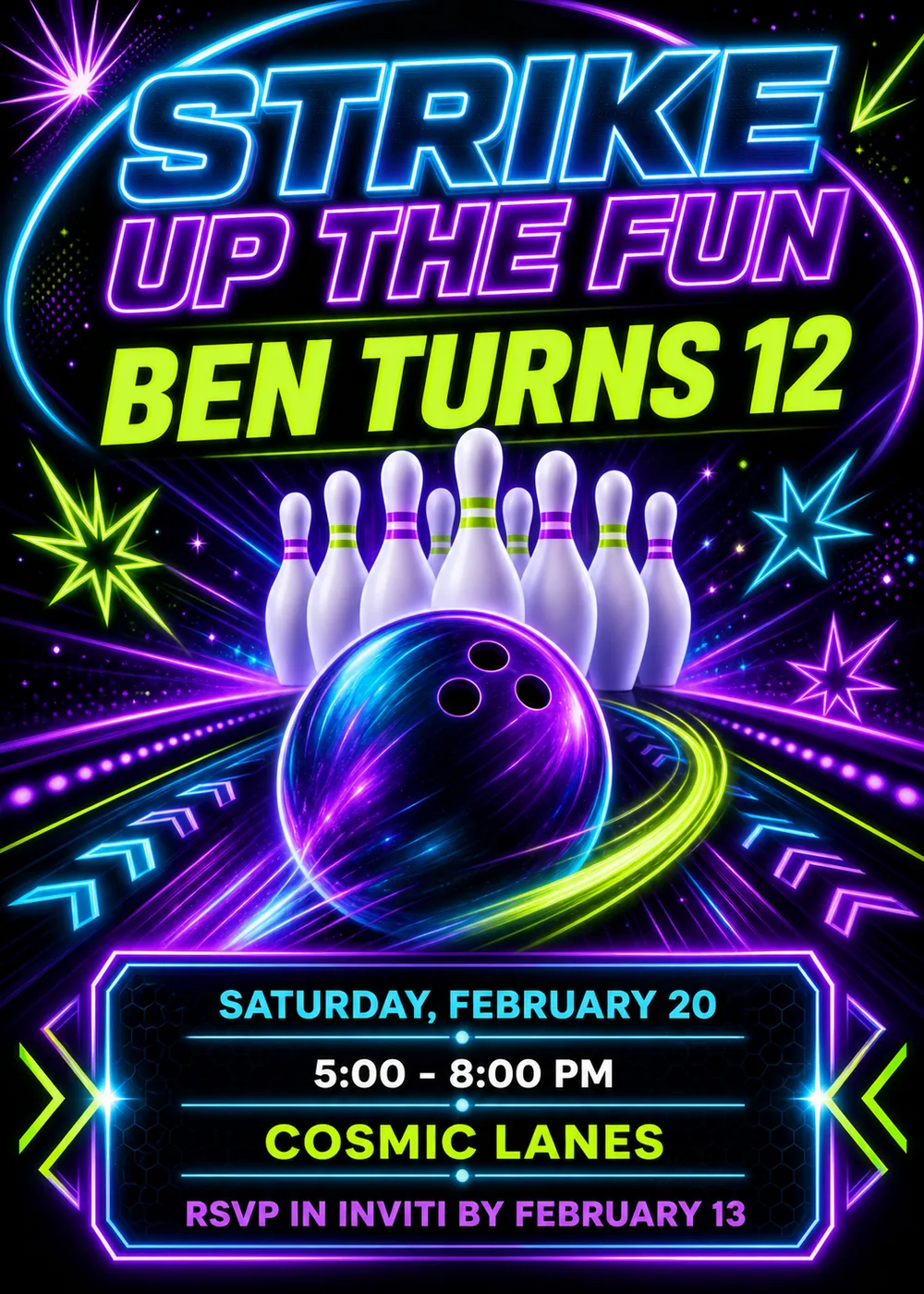
A glowing oval ring, cyan on one side and violet on the other, loops around the headline at the top, with “Ben Turns 12” just beneath it. Below the name, a cluster of white bowling pins banded with violet and lime stands at the end of a lane, and a glossy purple bowling ball with three finger holes sits in front of them, a curving lime streak of light sweeping around it. Neon lines race out from the pins toward the edges, lined with rows of glowing violet dots and cyan and violet chevrons, and starbursts in lime, cyan and violet spark around the scene. The details sit at the bottom in a dark panel framed in violet and cyan neon, with lime chevrons on both sides.
It is built like a high-energy neon poster rather than a painting: every letter, line and star carries a soft electric halo against a near-black field, and the ball's surface shimmers with cyan and violet highlights. Cyan, violet and acid lime do nearly all the work, with the white pins as the one calm spot, so the card has the feel of a bowling alley when the house lights drop for glow bowling. No people are drawn and there is no photo slot, so it suits any birthday kid.
“Strike Up the Fun” is stacked in oversized, slanted outline capitals, “Strike” edged in cyan and “Up the Fun” in violet, and “Ben Turns 12” follows in heavy, solid lime capitals with the same forward lean. Inside the panel, bold upright sans-serif capitals give each detail its own color — “Saturday, February 20” in cyan, “5:00 - 8:00 PM” in white, “Cosmic Lanes” in lime and the RSVP line in violet — with a thin cyan rule and a small dot between lines.
Strike up the fun
Maya turns 11
Friday, March 13 · 6–8:30 PM
Riverside Lanes
Lights down, pins up!
Join Leo for his 10th birthday
Saturday, January 23 · 4–6 PM
Glow bowling, then pizza and cake
Double the birthdays, double the strikes
Ava and Eli turn 13
Sunday, April 18 · 2 PM
Northgate Bowl
Every piece below was made in this design with Inviti. Matching pieces are a Pro feature, and each one you request is a separate generation, so yours will follow this direction without being pixel-identical.


It will follow this design's direction: oversized slanted neon lettering in cyan and violet, a lime name line, white pins and a glowing purple bowling ball on a black lane, with the details in a neon-framed panel. Because Inviti generates each invitation with AI from your details, the arrangement and lettering can differ from this sample.
No. The sample is for a boy named Ben, but nothing in the pins, ball or neon colors belongs to one; change the name and age and it fits any birthday kid.
Yes. The artwork is pins, a ball, a lane and neon light, with no cartoon figures or childish details. Replace “Ben Turns 12” with a line like “Sam turns 16” or “Dad turns 40”, and check the generated text before you share it.
Yes. The invitation is designed at 5×7 inches, and the app's print preparation can lay out copies on A4 or US Letter with crop marks. Dark designs print best on matte paper; generate at full resolution rather than the introductory 1K size.
With Pro you can request matching pieces such as a party menu, a welcome sign, a “Let's celebrate” sign, a sign with the name, date and time, a cards and gifts sign, a “Wishes for” sign where guests leave a note for the years ahead, a cake topper, initial cupcake toppers, letter pennants with a photo opening, food labels, water bottle labels, chocolate bar labels, thank-you cards and “Thank you for celebrating” tags. Each piece is a separate generation; the full sample set is shown below.

New subscribers start with an introductory week or month that includes five designs; plans and one-time packs show Apple-localized prices in the app.