
Cherry on top
Cherry on top
Sophie turns 15
Saturday, May 16 · 2–6 PM
Hawthorn Tea Garden
Glossy watercolor cherries, pink satin bows and soft cherry blossoms around a tall cherry-red headline — a ribbon-tied invitation for a teen birthday with a pretty, vintage streak.
Make yours in the Inviti AI app for iPhone.

Point your iPhone camera at the code, then tap the link to open Inviti AI in the App Store.
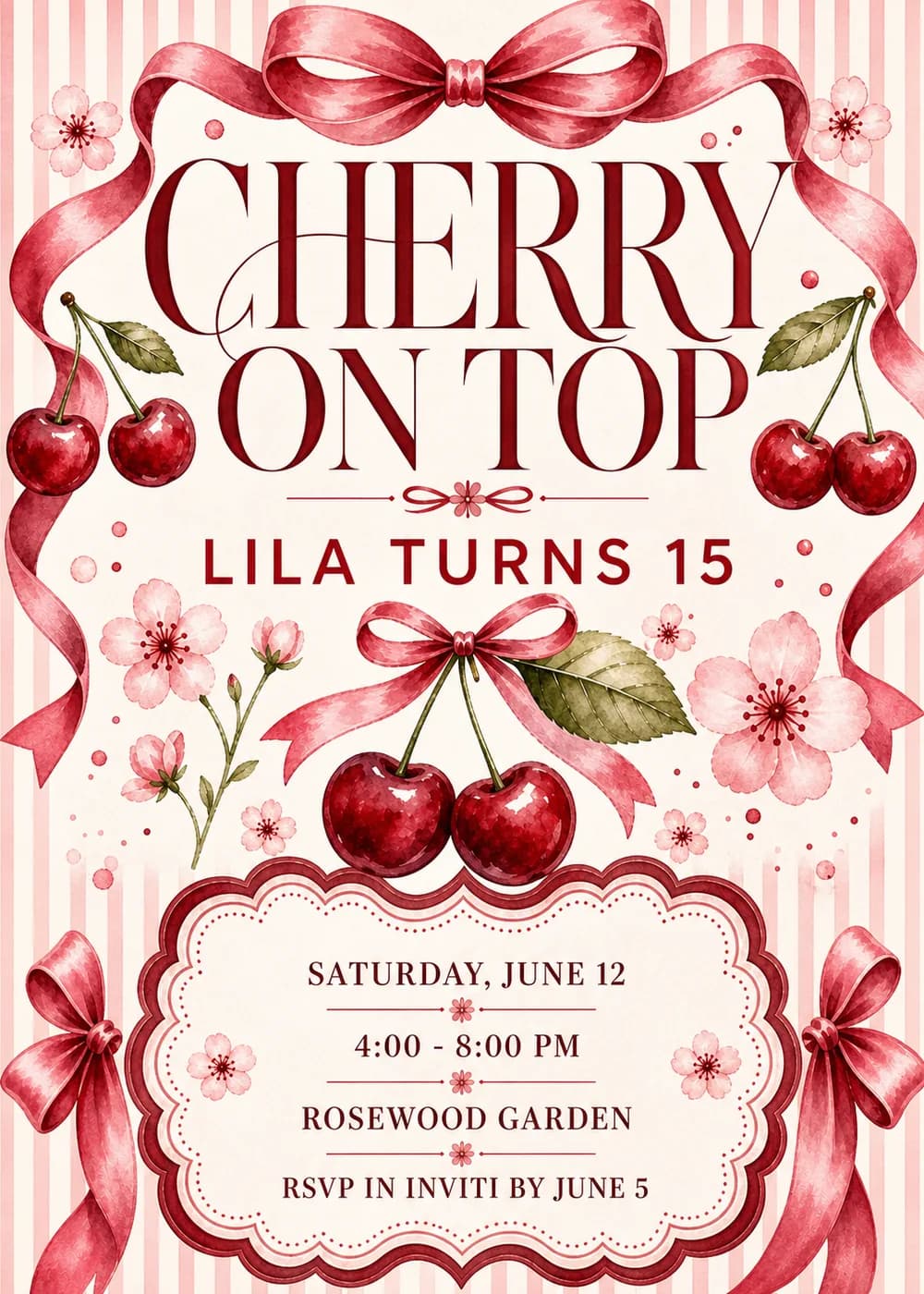
A pink satin bow is tied at the top center of the card, and its ribbon tails loop and twist down both sides, framing a cream field edged with pale pink and cream stripes. “Cherry on Top” fills the upper half in two lines, with a pair of cherries on long stems and a green leaf hanging beside it on each side, and a thin rule with a tiny blossom and a ribbon flourish at its center separates it from “Lila Turns 15”. Under the name, a pair of cherries hangs from a smaller pink bow beside a broad olive leaf, surrounded by cherry blossoms, a budding blossom stem and scattered pink dots. At the foot, a scalloped plaque with a cherry-red outer edge, a pink inner band and a dotted border holds the details, with more satin bows tied in the bottom corners.
Everything is painted in detailed watercolor, and the ribbons are rendered with the sheen of real satin: light runs along every fold and twist, each cherry carries a bright highlight over a deeper red shadow, and the blossoms are washed in soft pink with dark red centers. Cherry red, rosy satin pink and blossom pink do nearly all the work against cream paper, with olive leaves as the only cool note, so the card lands squarely in the bows-and-cherries coquette look: romantic and a little vintage, with no cartoon characters or balloons to make it feel young. No people are drawn and there is no photo slot.
“Cherry on Top” is set in very large, high-contrast serif capitals in deep cherry red, thick strokes set against hairline ones, with a looping hairline swash running through the C. “Lila Turns 15” follows in restrained, widely spaced sans-serif capitals in the same red, a deliberately quiet line under such a big headline. Inside the plaque, cherry-red serif capitals list “Saturday, June 12”, “4:00 - 8:00 PM”, “Rosewood Garden” and “RSVP in Inviti by June 5”, each line divided from the next by a thin rule with a small pink blossom at its center, and a blossom sits on either side of the stack.
Cherry on top
Sophie turns 15
Saturday, May 16 · 2–6 PM
Hawthorn Tea Garden
Brunch, bows and birthday cake
Mia turns 14
Sunday, June 7 · 11 AM–2 PM
The Orchard Room
The sweetest sixteen
Nora's birthday garden party
Saturday, July 18 · 4–8 PM
The Bennett backyard, 27 Linden Court
Every piece below was made in this design with Inviti. Matching pieces are a Pro feature, and each one you request is a separate generation, so yours will follow this direction without being pixel-identical.


It will follow this design's direction: a large cherry-red serif headline and a quiet sans-serif name line framed by pink satin bows and ribbons, with watercolor cherry pairs, cherry blossoms, pale pink stripes and the details in a scalloped plaque. Because Inviti generates each invitation with AI from your details, the arrangement and lettering can differ from this sample.
Yes. The only number is in the name line, “Lila Turns 15”; “Cherry on Top” and the cherries, bows and blossoms carry no age at all. Enter your teen's name with the age you are celebrating, then check every line of the generated text before you share it.
No. Rosewood Garden is just the sample's venue, and the artwork shows cherries, bows and blossoms rather than a particular place, so it suits a café brunch, a tea room, a backyard or a party at home. Enter your own venue and the time your party starts and ends.
Yes. The invitation is designed at 5×7 inches, and the app's print preparation can lay out copies on A4 or US Letter with crop marks. For the sharpest print, generate at full resolution rather than the introductory 1K size.
With Pro you can request matching pieces such as a party menu, a welcome sign with “Cherry on top” and the venue, a “Let's celebrate” sign, a milestone sign with the name, date and time, a cards and gifts sign, a “Wishes for” sign that asks guests to write a note for the years ahead, a “Lila turns 15” cake topper, initial cupcake toppers, letter pennants with a photo opening, food labels, water bottle labels, “Cherry on top” chocolate bar labels, thank-you cards and “Thank you for celebrating” tags. Each piece is a separate generation; the full sample set is shown below.

New subscribers start with an introductory week or month that includes five designs; plans and one-time packs show Apple-localized prices in the app.